
Booking pages that fill your calendar.
Share one link. People pick a real open slot on your calendar, get a confirmation with a video link, and land in your day automatically - no back-and-forth, no double-bookings. Available on Pro and up.
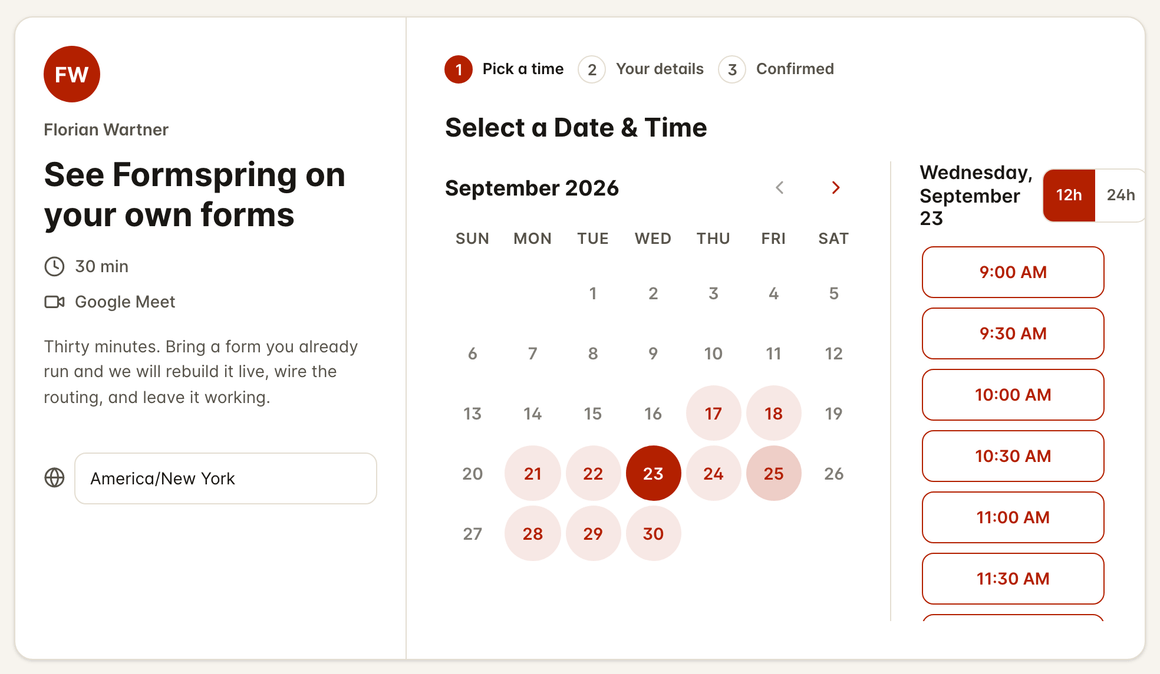
Grab a time that works
A live preview. Nothing is saved or sent.
Pick a day and an open time.
Intro call
30 min - pick a day, then an open time.
Open times - Today
Times shown in your local time zone.
- Real-time calendar availability
- Automatic video-meeting links
- Email reminders and self-serve reschedule
- Branded booking pages
- Intake questions on every booking
- Available on Pro and up
Everything you need, nothing you don't.
Scheduling that fills your calendar. Built for the way you actually work, with no setup headaches and no surprises.
Real-time availability
Slots come straight from your connected calendar, so people only ever book time you actually have. No double-bookings.
One link, any meeting
Share a branded booking link or a QR code. Intro calls, demos, consultations - each meeting type gets its own page.
Calendar sync and video links
Every booking lands on your calendar with a video-meeting link attached and an invite the guest can add in one tap.
Reminders that cut no-shows
Automatic email reminders keep both sides on time, and a self-serve link lets guests reschedule or cancel without emailing you.
Your brand, your page
Match your colours and logo with the same design studio you use everywhere else. The booking page looks like you, not a template.
Answers before the call
Add intake questions to the booking page so you walk into every meeting already knowing what it is about.
How it works
Build it. Share it. Watch it land.
- Step 1
Connect your calendar
Link your calendar and set the hours you are open. Availability updates itself from then on.
- Step 2
Share the link
Send a booking link, show a QR code, or drop the booking block on your bio page or site.
- Step 3
Show up prepared
Bookings arrive on your calendar with a video link, reminders, and the guest's answers in hand.
About Bookings.
What is Formspring Bookings?
Which calendars does it connect to?
Do guests need an account?
Can people reschedule or cancel?
Is it on the free plan?
Your next booking page is three minutes away.
Pick a template, make it yours, and share it today. Every plan includes its submissions with no per-response overage fees.
No card needed. 50 submissions a month on the free plan.